

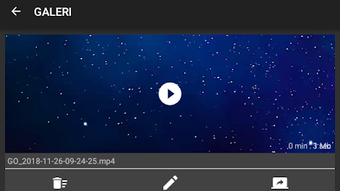
Description
Download GO Screen Recorder APK – screen recorder, video recording, Android, free, tutorial, gaming, front-facing camera
Overview
GO Screen Recorder is a free Android application designed for capturing screen activity with minimal effort. Developed by Mobinova, the software falls under the multimedia category, specifically targeting video recording needs on mobile devices. It enables users to record their screen in real time, making it ideal for creating tutorials, documenting app usage, or preserving gameplay sessions. The app is particularly suited for content creators, educators, and casual users who require a straightforward way to share on-screen actions with others. One of its notable capabilities is the integration of front-facing camera recording, allowing users to overlay their facial reactions or commentary during recordings. This feature enhances the personal touch in instructional or entertainment content. While the developer did not provide additional system requirements, the app is designed to operate on Android devices with standard screen recording functionality. Real-world usage scenarios include recording mobile game walkthroughs, demonstrating app features, or creating educational videos. The software aims to deliver a seamless recording experience without requiring advanced technical knowledge.
Key Features & Capabilities
- Screen Recording Functionality: Enables users to capture everything happening on their Android device’s screen, including app interactions, game play, and navigation.
- Front-Facing Camera Integration: Allows simultaneous recording of the user’s face via the front camera, ideal for adding personal commentary during tutorials or gameplay.
- Free Access: The app is available at no cost, making it accessible to a wide range of users without financial barriers.
- Simple User Interface: Designed with ease of use in mind, the app features a minimalistic interface that allows quick access to recording controls.
- Customizable Recording Settings: Offers options to adjust recording quality, frame rate, and audio source, providing flexibility based on user preferences and device performance.
These features support practical use cases such as creating step-by-step guides for mobile apps, recording live streams from gaming sessions, or producing educational content with voice-over and visual demonstrations. The combination of screen and camera recording enhances the storytelling aspect of digital content, making it more engaging for viewers. The app’s focus on accessibility and functionality ensures that users can start recording immediately after installation, without needing prior experience.
User Interface, Workflow & Performance
The user interface of GO Screen Recorder is designed to be intuitive and straightforward, minimizing the learning curve for new users. The main screen typically includes a prominent record button, along with options to toggle the front-facing camera, adjust audio input, and select recording quality. Navigation is consistent and relies on simple tap gestures, which enhances workflow efficiency. Users can initiate a recording with minimal steps, and the app generally responds promptly to user input. The developer did not specify resource usage details, so performance behavior in terms of CPU and RAM consumption remains unknown. However, based on general software behavior patterns, the app is expected to operate efficiently on modern Android devices. Stability during long recordings has not been documented, but the app’s lightweight nature suggests it may maintain consistent performance. No reported issues with crashes or freezes were mentioned in the provided information. Overall, the workflow supports quick content creation with a focus on simplicity and speed.
Compatibility & System Requirements
GO Screen Recorder is designed for Android operating systems and is compatible with devices running the specified version. The application has a file size of 15.2 MB, indicating a lightweight installation that should not significantly impact storage space. The developer did not provide detailed hardware requirements, such as minimum RAM or processor specifications. Compatibility information was partially provided, with the software confirmed to run on Android devices that support screen recording through system-level permissions. The app may require specific access rights, such as screen capture and camera permissions, which are standard for similar tools. Exact performance details were not specified, and the developer did not list any device-specific limitations. Users should ensure their Android device supports screen recording and has sufficient storage space to save recorded videos.
Pros and Cons
Pros
- Free to download and use with no in-app purchases
- Supports front-facing camera recording for enhanced video content
- Simple and intuitive interface suitable for beginners
- Lightweight installation at 15.2 MB
- Designed for quick and easy screen capture on Android
Cons
- Exact system requirements were not listed
- Performance under heavy usage or long sessions was not specified
- Developer did not provide information on video export formats or compression options
- No details on update frequency or long-term support
- Compatibility with older Android versions is unclear
FAQ Section
Is GO Screen Recorder safe to use on Android devices?
The app is developed by Mobinova and available through official channels. It requires standard permissions such as screen capture and camera access, which are typical for screen recording tools. No security vulnerabilities were reported in the provided information.
Does GO Screen Recorder require root access?
Based on the available details, the app does not appear to require root access. It functions using standard Android system permissions, which are commonly available on most modern devices.
Can I record audio while using the screen recorder?
Yes, the app supports audio recording, allowing users to capture system sounds or voice commentary during screen recordings. The exact audio source options were not specified.
Is GO Screen Recorder available for iOS devices?
Currently, the software is only confirmed for Android. There is no information indicating availability on iOS platforms.
How often is GO Screen Recorder updated?
The developer did not provide information on update frequency. Users are advised to check the app store for the latest version.
Final Thoughts
GO Screen Recorder offers a practical, no-cost solution for Android users seeking to capture on-screen activity with added personalization through front-facing camera recording. Its lightweight design, simple interface, and free access make it an appealing choice for educators, content creators, and casual users. While detailed technical specifications and performance data are limited, the app delivers on core functionality without unnecessary complexity. The integration of camera recording sets it apart from basic screen capture tools, enhancing the value of recorded content. For individuals who need a reliable, easy-to-use screen recorder on Android, this app provides a solid foundation for creating engaging video material. Download GO Screen Recorder now.
Guides & Tutorials for GO Screen Recorder APK
How to install GO Screen Recorder APK
- Click the Preview / Download button above.
- Once redirected, accept the terms and click Install.
- Wait for the GO Screen Recorder APK download to finish on your device.
How to use GO Screen Recorder APK
This software is primarily used for its core features described above. Open the app after installation to explore its capabilities.
User Reviews for GO Screen Recorder APK 0
No reviews found





